BlazeTV
- 3.7
- Rating
- 500.00K
- Installs
- Free
- Price

 Analysis by App-foxy
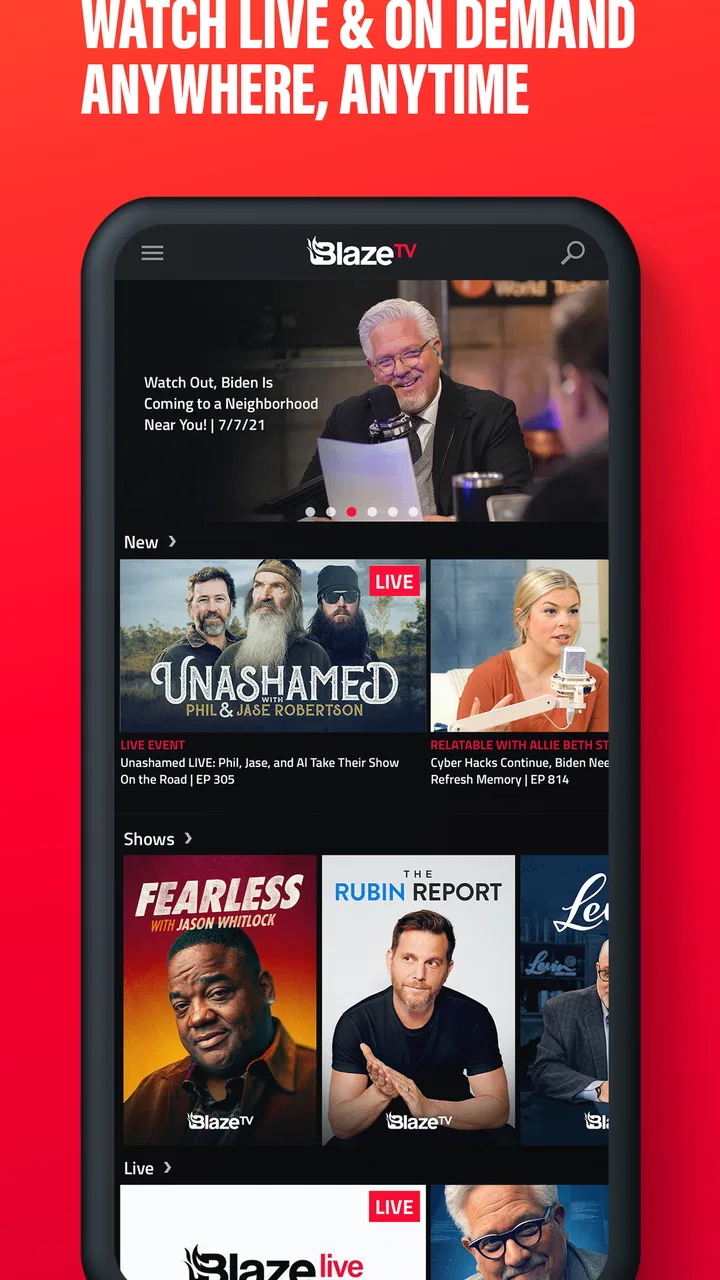
BlazeTV is a news and entertainment app aimed at people who want a distinctly American point of view in one place. I approached it less like a replacement for every news source on my phone and more like a focused channel: useful when I want commentary and programming from the BlazeTV world, but not necessarily the only tool I would keep for staying informed. That distinction is the key to deciding whether it belongs on your Android or iPhone.
The app is free to install, and BLAZE MEDIA LLC presents it as a way to follow news and entertainment for people who love America. Its Teen content rating makes it more suitable for older teenagers and adults than for young children. In my experience, the most important question is not whether you already read news online, but whether you want a particular editorial perspective and a dedicated place to return to it.
What I looked for before recommending BlazeTV
When I judge a news app, I look at four things first: how quickly I can reach something worth watching or reading, whether the app gives me a clear reason to open it instead of a web browser, how comfortable it is during short sessions, and whether its viewpoint matches what I actually want. BlazeTV makes the strongest case on the last point. It is not trying to feel politically neutral or endlessly broad; its identity is part of the product.
You May Also Like

 Blood Strike: 2.5 Anniversary
Blood Strike’s Loadouts Turn Every Drop Into a Tactical Gamble
A close look at Blood Strike’s custom loadouts: how fast access to signature weapons reshapes its battle royale rhythm, rewards preparation, and narrows the gap between fights.

 Pandora - Music & Podcasts
Pandora’s Music Is Easy to Start, but Harder to Recover
Pandora’s strength is its low-effort path from a seed to a station. Its weak spot is how much confidence it asks you to place in connection, setup, and quiet recovery.

 8 Ball Pool
 Is Built on Rivalries, Rematches, and Routine
A close look at the rivalries, rematches, shared routines, and unanswered safety questions that turn a quick pool match into a persistent mobile community.

 Samsung Music
’s Quiet Strength Is Playing What You Already Own
Its reach comes less from spectacle than from dependable access to a personal library. That simplicity is both the app’s strongest retention engine and its ceiling.

 AccuWeather: Weather Radar
AccuWeather Review: A Quick, Clear Forecast for Everyday Decisions
For everyday plans, the best forecast is the one you can understand quickly. AccuWeather makes rain timing, radar, and local conditions easy to act on, with a few trade-offs.

 Hill Climb Racing
Why Hill Climb Racing Still Turns Crashes Into One More Run
A tiny car, a bumpy hill and one more upgrade: Hill Climb Racing keeps resurfacing because its simple chaos makes every near-miss feel personal.
More From Our News Desk



That focus can be helpful. A general news aggregator may give me dozens of headlines from unrelated publishers, but I can spend more time sorting through sources than understanding the stories. With BlazeTV, I know the kind of editorial environment I am entering. For a reader who enjoys the BlazeTV perspective, that reduces decision fatigue and makes the app feel more purposeful than a crowded headline feed.
It also means I would not use it as my only source for complicated or rapidly developing events. A focused outlet can offer strong commentary and a consistent lens, while a broader news service is usually better for comparing reporting from several editorial positions. I see that as a trade-off rather than a flaw: the app is easier to choose when I want its perspective, but less complete when I want a wide survey of the news landscape.
A practical morning test
My realistic test for an app like this is a weekday morning. I have a few minutes with coffee, want to see what deserves attention, and do not want to build a reading list from scratch. BlazeTV makes sense in that moment if I already know I want its style of coverage and entertainment. I can open it with a specific expectation instead of wandering through a generic feed.
For a broader morning briefing, I would pair it with a general news app or a few established publications. That combination is more useful than forcing BlazeTV to do a job it was not designed to do. I can use it for the stories, hosts, and commentary that interest me, then use a separate source to check how other outlets frame the same subject.
This is one of the app’s less obvious strengths: it works well as a deliberate second opinion. Many people think of a second opinion as something that must disagree with the first source, but it can also be a consistent perspective that helps reveal what another service leaves out. The value comes from knowing why I opened it, not from treating every screen as a complete daily briefing.
What the app’s scale tells me
BlazeTV has passed 500 thousand installs, with an average rating of 3.8 from around 7 thousand ratings. Those figures suggest a real audience and a product that works well enough for many people, while also leaving room for mixed experiences. I would not interpret the rating as a guarantee of smooth performance on every phone. Instead, I read it as a reminder to keep expectations realistic: this is an established app, but not one I would choose solely because of its store score.
The app first appeared on February 12, 2016, and its current version is 9.58.0. That long presence matters because a news service needs to remain useful beyond a single headline cycle. At the same time, a mature app can accumulate layers that are not equally valuable to every user. I would spend a few minutes exploring the main navigation after installation rather than assuming the first screen tells me everything worth using.
Where BlazeTV is most convincing
The clearest advantage is editorial identity. BlazeTV is built for people who want news and entertainment connected to an explicitly American outlook, so the app feels more intentional than a neutral-looking collection of links. If that outlook already fits your interests, the service can save time because you are not repeatedly filtering out material that you never planned to follow.
I also like the idea of having commentary and entertainment together. News apps can become exhausting when every visit is a stream of urgent headlines. An app with both information and entertainment gives me more control over my mood and session length. I can check a topic when I am focused, or browse something lighter when I want the brand’s programming without turning the visit into a full news briefing.
That mixture is particularly useful for someone who follows personalities and recurring shows rather than individual headlines alone. A standard aggregator is organized around events; BlazeTV is more useful when I want to return to a familiar editorial community. The difference may sound small, but it changes how I use the app. I am not only asking, “What happened?” I am also asking, “What is this outlet saying about what happened?”
Three ways I would use it
- Focused commentary: I would open it when I want a BlazeTV interpretation of a major political, cultural, or national story instead of a headline list with no context.
- Short entertainment sessions: I would use it during a break when I want content connected to the same editorial identity but do not want to search across several unrelated services.
- Perspective checking: I would read or watch its take after consulting a broader source, using the contrast to identify which parts are facts, analysis, or opinion.
The third use is the one I find most valuable. It requires a little discipline, because strong commentary can feel complete even when it represents only one side. I try to separate the subject itself from the presenter’s interpretation. That habit makes the app more useful and keeps me from confusing a confident opinion with a full account of an event.
Why the free entry point helps
Because BlazeTV is free to install, I can test its fit without committing money at the beginning. That matters for a viewpoint-driven app: the right question is personal compatibility, and a store description cannot answer that for me. I would install it, explore the available material, and decide whether I naturally return after the first few sessions.
The free model does not mean every part of the experience is cost-free. The app includes in-app purchases ranging from $14.99 to $120.00 per item, so I would pay attention to any subscription or purchase prompt before confirming it. The wide range means the potential cost can be meaningful, especially for someone who is only casually curious.
My advice is simple: treat the free installation as a trial of the app’s usefulness, not as proof that all content or access will remain free. If you decide to spend money, first identify exactly what the purchase unlocks and whether it matches how often you expect to use BlazeTV. Someone who opens it once a month should be much more cautious than someone who plans to make it part of a daily routine.
Where another kind of news app may fit better
BlazeTV is not the right choice for everyone. If your main goal is a politically balanced overview, a broad aggregator is likely a better starting point. Such services usually make it easier to compare multiple publishers, follow local stories from different sources, and scan a wider range of subjects without committing to one editorial identity.
If you prefer quick facts with minimal commentary, a wire-style news source may suit you better. BlazeTV’s appeal is connected to its voice and entertainment value, so users who want only short, restrained updates may find the experience more opinion-oriented than necessary. In that case, a simple headlines app can be faster and less demanding.
I would also choose a dedicated local-news app for neighborhood concerns such as road closures, school notices, local weather, or city decisions. A national perspective can be interesting, but it does not replace information about the place where I live. BlazeTV is better understood as a national or cultural media destination than as a complete local information service.
For users who want to compare sources in one screen, the switching cost is low if they already use an aggregator. They can keep that app for breadth and add BlazeTV for a specific perspective. The harder switch is emotional rather than technical: once I become comfortable with one consistent voice, I may stop looking elsewhere. I recommend setting a personal rule to check at least one broader source whenever the subject affects voting, money, health, safety, or major public decisions.
Who should skip it
I would skip BlazeTV if I dislike opinion-led programming, want a strictly nonpartisan presentation, or expect one app to cover international, national, local, and specialist news with equal depth. I would also avoid paying for it immediately if I have not yet established a regular viewing habit. The app’s identity is clear enough that the wrong audience will probably recognize the mismatch quickly.
Parents should also consider the Teen rating before allowing younger family members to use it. That rating does not make the app unsuitable for every teenager, but it does make supervision and individual judgment sensible. News and commentary can involve mature political or cultural subjects even when the interface itself is easy to navigate.
Device and version considerations
BlazeTV supports devices running Android 7.1 or newer. That gives owners of older compatible Android phones a chance to use it without needing a recent operating system, while newer phones should still be checked for ordinary app compatibility and available storage before installation. I would update to the current version, 9.58.0, rather than relying on an old copy, especially for a service whose content experience can depend on ongoing maintenance.
On iOS, I would use the same practical approach: install it from the official app marketplace, review the purchase screen carefully, and explore the navigation before deciding whether it deserves a permanent place on the home screen. I would not judge the service after only one headline or one session. The real test is whether the combination of news, entertainment, and viewpoint keeps being useful after the initial curiosity fades.
How I would make the app work better in daily life
My first tip is to give each visit a purpose. I might open BlazeTV for commentary on one subject, for entertainment during a break, or to compare an interpretation with another source. Without that intention, any news app can turn into an endless scroll. With it, I can leave after finding what I came for.
My second tip is to keep a distinction between reading for information and watching for perspective. When I am trying to understand an event, I take notes mentally about the basic claims and then compare them elsewhere. When I am watching because I enjoy the presentation, I let myself treat it as commentary. This small separation helps me appreciate the app without expecting it to behave like a reference database.
My third tip is to delay purchases until I know my usage pattern. I would use the free version long enough to answer three questions: Do I open it repeatedly without forcing myself? Do I find the available content relevant to my interests? Does it add something that my existing news sources do not? If the answer to all three is yes, a purchase may be easier to justify. If not, the free installation has already done its job by showing me that the fit is limited.
A fourth useful habit is to avoid using a single perspective for high-stakes decisions. BlazeTV can help me notice arguments, themes, and interpretations that I might otherwise miss, but I would still verify important claims through additional reputable sources. This is not a criticism unique to BlazeTV; it is the responsible way to use any strongly branded news outlet.
My recommendation after weighing the trade-offs
I recommend BlazeTV to Android and iOS users who actively want news and entertainment shaped by its American-focused identity. The app is especially appealing if you prefer returning to a recognizable media voice rather than assembling every visit from unrelated headlines. Its free installation makes experimentation straightforward, and its established presence gives it more substance than a newly launched media app.
I would recommend it as a companion rather than an automatic replacement for a broad news service. Keep a general source if you need multiple viewpoints, local coverage, or a wider international range. Add BlazeTV when its commentary and entertainment provide something your current routine lacks. That arrangement respects the app’s strongest quality without asking it to be something else.
My final decision rule is simple: if the editorial perspective is the reason you came looking, try it. If you came looking for neutral summaries of everything happening everywhere, choose a broader alternative first. BlazeTV is most worthwhile when its point of view is a feature you deliberately want, not a limitation you hope will disappear.
After testing it as a focused media destination, I see a clear audience for it: people who want a consistent American-oriented news and entertainment experience, understand the difference between reporting and commentary, and are willing to compare sources when the topic matters. For that reader, it can become a useful daily or occasional companion. For everyone else, the free download is easy to pass on after an honest trial, and a general news app may be the better long-term home.
FAQs for BlazeTV
01What is BlazeTV and what content does it offer?
BlazeTV is a streaming service that provides a variety of conservative news, talk shows, documentaries, and original series. It focuses on political commentary and cultural topics, featuring hosts like Glenn Beck and Mark Levin. The content is designed to offer a perspective often not covered by mainstream media outlets.
02Is BlazeTV available on both Android and iOS devices?
Yes, BlazeTV is available for download on both Android and iOS devices. Users can access the BlazeTV app through the Google Play Store or the Apple App Store, allowing for streaming on smartphones and tablets, offering flexibility in viewing preferences.
03Does BlazeTV offer a free trial or require a subscription?
BlazeTV typically requires a subscription to access its full range of content. However, they occasionally offer free trials or promotional discounts for new users. It's best to check their official website or app stores for any available offers that might provide access to their content at no initial cost.
04Can I download content for offline viewing on BlazeTV?
While BlazeTV primarily focuses on streaming, some content may be available for offline viewing. This feature allows users to download shows and watch them later without an internet connection. Users should check specific content availability and app settings for download options.
05How does BlazeTV ensure content quality and reliability?
BlazeTV maintains content quality by featuring well-known conservative commentators and experts in their fields. The platform offers HD streaming and regularly updates its app to enhance user experience, improve streaming reliability, and address any technical issues, ensuring a seamless viewing experience.
Pros
- Wide range of conservative content.
- High-quality video streaming.
- User-friendly interface design.
- Regularly updated with new shows.
- Available on multiple devices.
Cons
- Subscription required for full access.
- Limited content for non-conservatives.
- Occasional streaming lags.
- No offline viewing option.
- Ads in the free version.

BlazeTV
Gallery